USB Voice Recorder Guide: 8GB vs 32GB for Notes
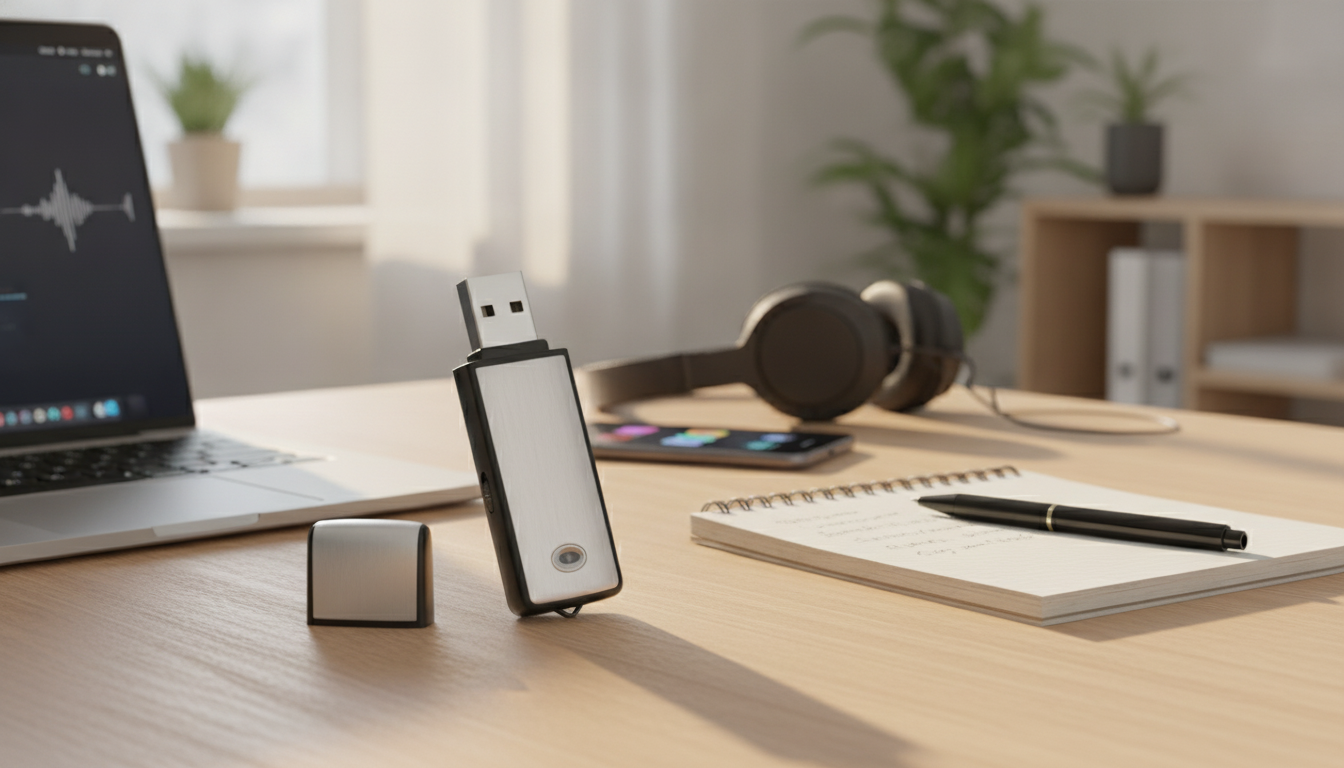
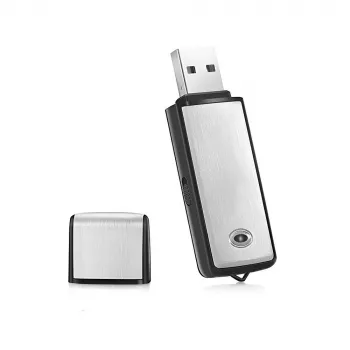
Portable USB Voice Recorder & Digital Audio Sound Recorder with 8GB/32GB Storage
A compact USB voice recorder is an easy way to capture lectures, meetings, interviews, and quick voice notes without relying on a phone battery or juggling complicated apps. With straightforward record-and-save operation, it can become a dependable tool for school, work, and everyday organization. Below are practical ways to use an 8GB/32GB portable digital recorder, how to get clearer audio in real-world spaces, and simple file habits that make playback and sharing painless.
What a portable USB voice recorder is best for
Dedicated recorders are built for one job: capturing sound quickly and consistently. That single-purpose design can be helpful when you want fewer distractions and a predictable workflow.
- Lecture and class notes: record long sessions and review key parts later.
- Work meetings: keep an accurate reference for action items and decisions.
- Interviews and research: capture clear speech for transcription.
- Personal voice memos: quick reminders, ideas, and to-do lists on the go.
- Travel and field notes: lightweight backup when a phone battery is limited.
8GB vs 32GB storage: choosing the right capacity
Storage size shapes how often you need to transfer files and how comfortable you’ll feel recording back-to-back sessions. The best pick depends less on “maximum hours” and more on your routine.
- 8GB is suitable for lighter use and shorter sessions with frequent transfers to a computer.
- 32GB better fits frequent recording, longer events, and fewer file transfers.
- Actual hours depend on recording quality settings and file format; higher quality uses more space.
- A simple routine—transfer after each session—prevents running out of space at the wrong time.
Capacity comparison for everyday use
| Storage option | Best for | Typical file-management habit | Practical note |
|---|---|---|---|
| 8GB | Occasional lectures, short meetings, voice memos | Transfer weekly or after important recordings | Works well when recordings are routinely archived on a computer |
| 32GB | Frequent classes, repeated meetings, interviews, multi-day trips | Transfer monthly or when organizing projects | More flexibility when back-to-back sessions happen |
Everyday recording quality: what matters most
In typical classrooms and conference rooms, technique matters as much as settings. Small placement changes can noticeably improve speech clarity.
- Microphone placement: keeping the recorder closer to the main speaker often improves clarity more than changing settings.
- Room acoustics: hard surfaces can add echo; placing the recorder nearer the speaker reduces reverb.
- Background noise: fans, keyboards, and hallway noise can overwhelm quiet voices—choose a spot away from constant noise.
- Speech-first settings: for meetings and lectures, prioritize settings that preserve vocal detail.
- Test recording: a 10–15 second test before a long session helps avoid unusable audio.
If a room is noisy, the simplest “upgrade” is often distance: move the recorder closer to the person speaking, ideally with a clear line of sight and fewer surfaces reflecting sound between you and them.
USB convenience: transfer, playback, and organization
A USB voice recorder is at its best when it fits into a repeatable workflow: record, connect, copy, and file away. The goal is to find what you need later without clicking through dozens of unnamed files.
- Plug-and-play file transfer: connect via USB and copy recordings into dated folders.
- Consistent naming: rename files with date + event (example: 2026-06-26_ProjectMeeting).
- Backup approach: keep one copy on a computer and a second copy in cloud storage or an external drive.
- Playback options: listen on a computer or compatible device; keep a simple player app ready for quick review.
- Privacy basics: store sensitive recordings in a protected folder and avoid sharing links with open access.
Simple folder structure for faster retrieval
| Folder | What goes inside | Example names |
|---|---|---|
| /Recordings/Meetings/ | Team meetings, client calls | 2026-06-26_SprintPlanning |
| /Recordings/Lectures/ | Classes, workshops | 2026-09-12_Biology_Ch3 |
| /Recordings/Interviews/ | Interviews, research sessions | 2026-07-03_UserInterview_01 |
| /Recordings/Memos/ | Quick personal notes | 2026-06-26_GroceryReminder |
Quick-start checklist before a lecture or meeting
A short pre-flight check reduces the odds of discovering issues after the session ends.
Recording etiquette and legal basics
For a high-level overview of U.S. state approaches to recording conversations, see NCSL — Recording Conversations (state laws overview). For practical device and file-security habits, the Federal Trade Commission guidance on device security is a helpful starting point.
Product options in stock
- Portable USB Voice Recorder & Digital Audio Sound Recorder with 8GB/32GB Storage — a compact option for capturing speech and transferring files via USB; a practical fit for students, professionals, and quick voice-note workflows.
- Vinyl Record Player C260, 3-Speed Bluetooth Vintage Turntable with Speakers — a home-friendly way to enjoy audio playback with a vintage look, useful for anyone building a simple listening setup.
- Nature’s Healing Power Checklist: Boost Your Mental Health with the Benefits of Nature — a lightweight digital resource for building a reset routine; pairs well with voice memos for reflections and habit tracking.
FAQ
How many hours can 8GB or 32GB store on a voice recorder?
Recording time depends on the recorder’s bitrate/quality setting and file format, so the same storage can hold very different hours of audio. In general, 32GB stores several times more audio than 8GB; a quick test recording can help estimate how much space your preferred quality uses per hour.
Will a USB voice recorder work with a laptop without extra software?
Many USB voice recorders connect like a standard USB drive, letting you copy audio files directly to your laptop. Playback usually works with common media players, though compatibility can vary based on the recording file format and your laptop’s default apps.
Is it legal to record a meeting or conversation?
Laws vary by jurisdiction: some places allow recording with one-party consent, while others require all parties to consent. When in doubt, get clear permission and follow workplace, school, or organizational policies.














Leave a comment