130000RPM Turbo Air Duster: Clean PC, Car Vents & Home
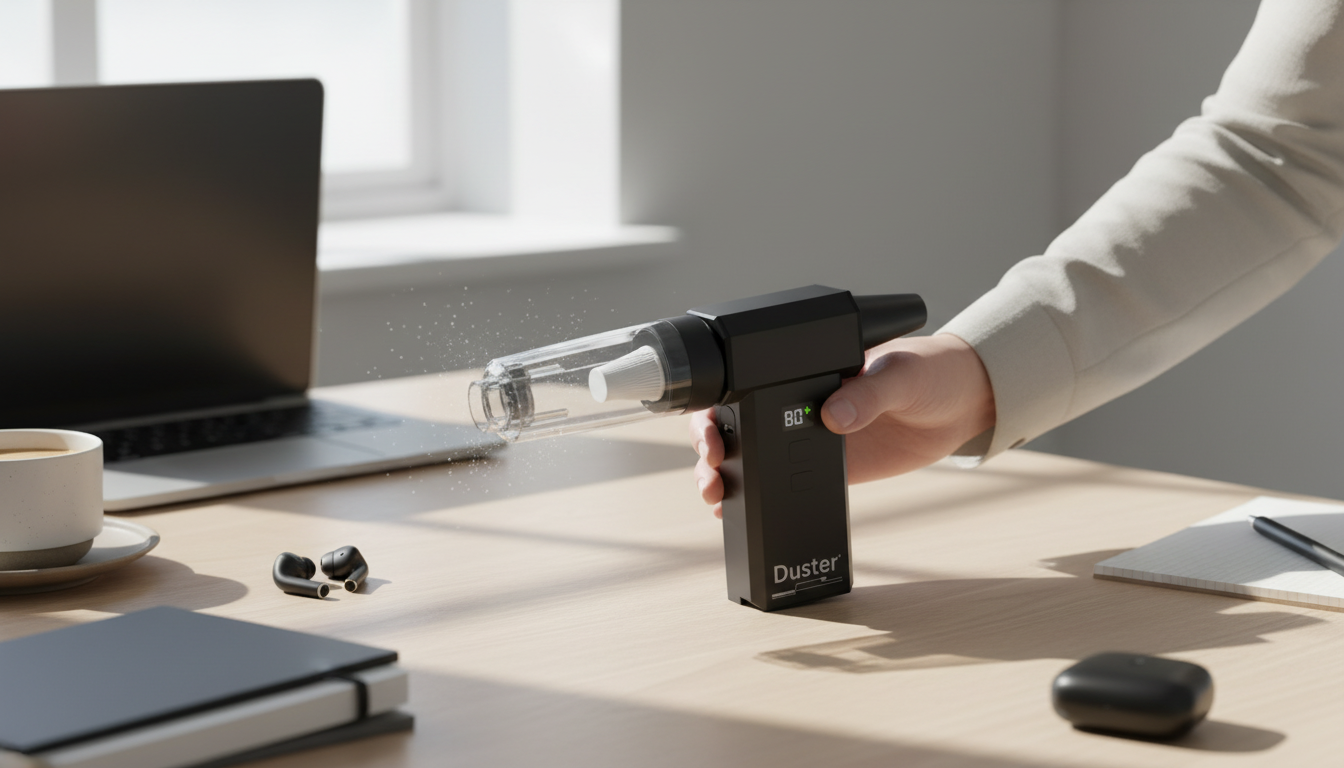
130000RPM High-Speed Handheld Air Duster & Turbo Blower for PC, Car & Home
A high-speed handheld air duster can replace disposable compressed-air cans while delivering strong airflow for dust removal in tight spaces. With a turbo blower, you can push debris out of vents, heatsinks, filters, and crevices without constantly buying cans—or freezing surfaces with propellant. Below are practical ways to use a 130000RPM-style air duster effectively, what to look for when shopping, and cleaning workflows that help protect electronics and finishes.
What a high-speed handheld air duster does (and where it works best)
A turbo blower directs concentrated airflow to lift dust and grit from places that brushes and vacuums often miss. It’s especially helpful when you want to dislodge debris first, then vacuum or wipe it away.
- Targets vents, heatsinks, keyboards, camera gear exteriors, window tracks, and small crevices with focused airflow.
- Helps reduce dust buildup that restricts airflow in PCs, game consoles, and small appliances.
- Speeds up car detailing: vents, seat rails, dashboard seams, cupholders, and trunk corners.
- Convenient around the home: fan grills, air purifier pre-filters, radiator fins (carefully), and baseboards.
- Not a substitute for washing: greasy or sticky grime still needs a cloth and the right cleaner after you blow out loose debris.
Understanding 130000RPM and turbo airflow in everyday cleaning
Motor speed numbers (like 130000RPM) are one clue to performance, but real-world results come from how that speed translates into usable air velocity at the nozzle. Stronger airflow can lift compacted dust from narrow channels—like PC fin stacks or car vent slats—where weak blowers struggle.
For best control, use short bursts at a sensible distance rather than holding full power on one spot. Many tasks also improve when you pair air with light agitation from a soft brush—especially in textured dashboards or around keycaps.
Recommended airflow approach by task
| Task | Distance | Burst style | Notes |
|---|---|---|---|
| PC heatsinks & case filters | 5–15 cm | 1–3 second bursts | Hold fan blades still to avoid overspin; blow from clean side to dirty side when possible. |
| Keyboard & desk gear | 10–20 cm | Quick passes | Angle the airflow so debris exits the keyboard rather than being driven deeper. |
| Car vents & console gaps | 5–10 cm | Short targeted bursts | Use a detailing brush to agitate dust, then blow it out. |
| Home fan grills & purifier pre-filters | 10–25 cm | Steady sweep | Follow with wiping to remove remaining fine dust film. |
| Delicate surfaces (collectibles, lenses exterior) | 20–30 cm | Gentle passes | Avoid direct blasting; do not use on exposed sensor openings. |
Key features to check before buying a turbo blower
- Speed levels or variable control: Makes the tool practical for delicate areas and stubborn dust.
- Battery capacity and charging method: Consider how long it runs at higher settings and whether charging is convenient for your routine.
- Nozzle options: Narrow tips for crevices, wider outlets for larger surfaces; secure fit helps prevent detachment mid-clean.
- Grip and balance: A stable hold reduces bumps and accidental contact when working close to electronics or trim.
- Noise and vibration: High-speed tools can be loud; for longer sessions, ear protection can be useful.
- Maintenance access: A clean intake screen/filter helps keep airflow strong and reduces motor stress.
How to clean a PC safely with a handheld air duster
PCs collect dust in filters and heatsinks first—places where airflow matters most. A controlled approach keeps components safe while restoring cooling performance.
- Shut down and unplug: Power off, flip the PSU switch off, and disconnect peripherals.
- Move to ventilation: Dust clouds spread quickly indoors; a garage or covered outdoor area is ideal.
- Start with filters: Remove case filters and blow them out away from the PC so debris doesn’t cycle back in.
- Prevent fan overspin: Gently hold fan blades still while blowing (case fans, CPU cooler fans, and GPU fans if accessible).
- Work top to bottom: Aim to push dust out of the case, not into corners or cable channels.
- Finish with wipe-down: Use a soft brush and microfiber on flat surfaces; re-check connectors, close the case, then power on.
If you’re curious about safe air use practices in work environments, OSHA’s compressed air guidance is a helpful reference point: OSHA — 29 CFR 1910.242(b).
Car detailing workflow: faster results with air + brush
Air works best in a car when you first remove the big stuff, then use air to evacuate the hidden stuff.
Home uses that go beyond keyboards: vents, filters, and hard-to-reach corners
Reducing and removing indoor dust can also support comfort and air quality—especially during heavy cleaning sessions. For practical context, see the U.S. EPA overview of Indoor Air Quality (IAQ).
Safety and care: preventing damage while getting stronger cleaning results
Featured picks you can use right away
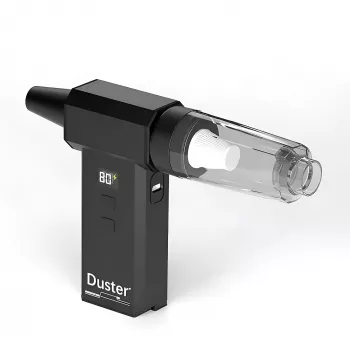
- 130000RPM High-Speed Handheld Air Duster & Turbo Blower for PC, Car & Home — a reusable option for PC cooling fins, car vents, and home filters.
- Vinyl Record Player C260, 3-Speed Bluetooth Vintage Turntable with Speakers — keep turntable lids, speaker grills, and shelves dusted so your setup stays looking clean.
- DIY 3D Owl Clock Wooden Model Kit – Creative Puzzle Assembly Toy for Adults & Kids — detailed builds can collect dust in corners; a gentle air pass helps with display maintenance.
FAQ
Is it safe to use a high-speed air duster on a PC?
Yes, as long as the PC is powered off and unplugged, you prevent fans from overspinning, and you use short, controlled bursts from a sensible distance.
Can a turbo blower replace canned compressed air?
For most routine dusting, yes—especially keyboards, vents, and filters. Sticky residue still needs wiping, and ultra-delicate tasks may require specialized tools.
How often should PC and car vents be cleaned?
Many PCs benefit from light cleaning every 1–3 months depending on pets and household dust. Car vents and interior crevices can be refreshed monthly or seasonally, with deeper cleaning as needed.














Leave a comment