AI Translation for Travel: Menus, Signs, Offline Tips
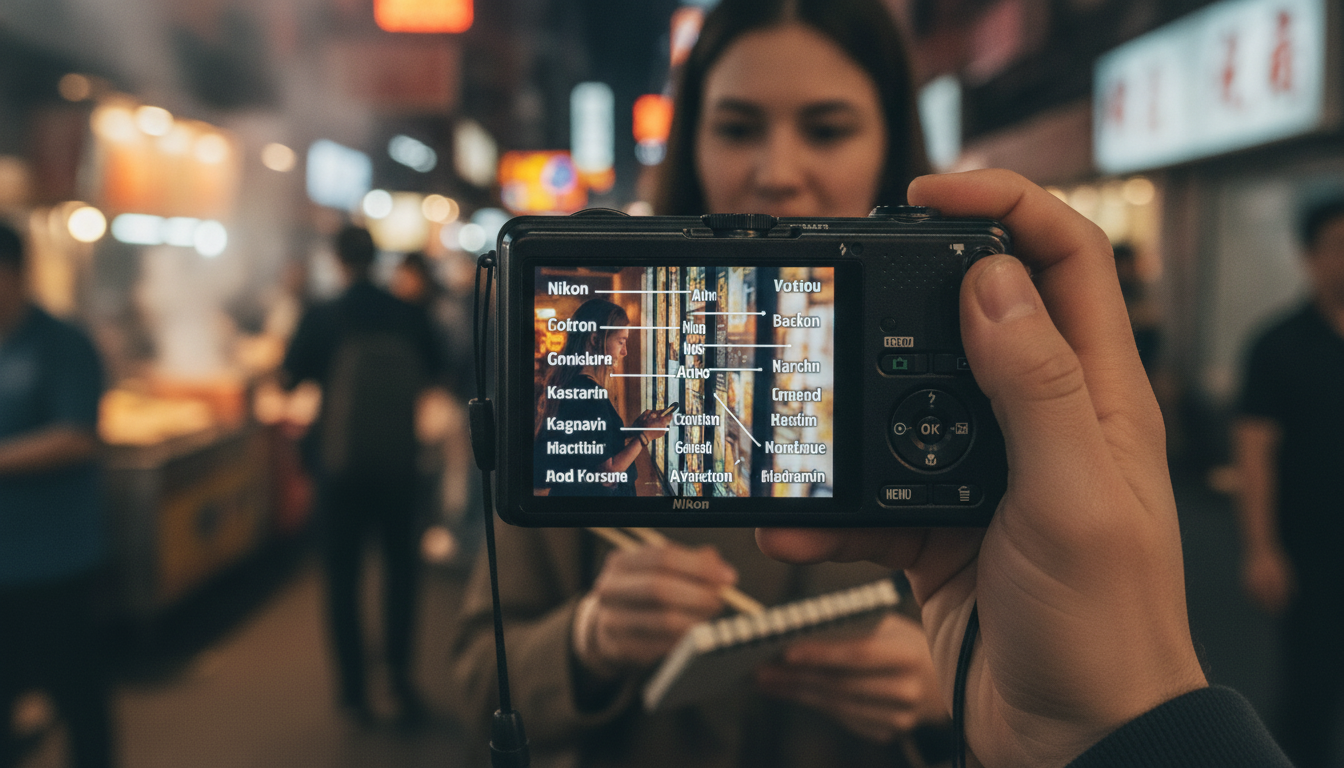
Ordering confidently, catching transit updates, and understanding street signage can make travel smoother in minutes. Modern AI translation tools combine camera-based text capture, fast language detection, and context-aware phrasing to help travelers decode menus, warnings, and everyday notices—often without needing a full conversation-level fluency.
What AI translation does well for travelers
Today’s translation apps shine when the goal is quick comprehension, not perfect prose. Used the right way, they can reduce hesitation in restaurants, help confirm transit changes, and clarify rules that matter.
- Instant camera translation for short texts: menu items, ingredient lists, station boards, store hours, and directional signs.
- Context-aware suggestions: better phrasing than word-for-word swaps—especially helpful for food terms, idioms, and polite requests.
- Pronunciation support: text-to-speech and phonetic hints for ordering and quick confirmations.
- On-device options: some apps and language packs can work offline for privacy and spotty connectivity.
For background on how machine translation is evaluated and why results vary by language pair and context, see NIST. For app-specific capabilities and settings, the Google Translate Help Center and DeepL Translator are useful references.
Set up before leaving: a 10-minute checklist
A little prep prevents the most common failure points: no signal, missing language packs, and camera mode that won’t activate when you need it.
- Download at least one translation app and one backup; sign in and test the camera mode at home.
- Pre-download offline language packs for the destination and any transit hub languages (airport/rail connections).
- Enable the right permissions: camera, microphone (for speech), and offline storage where applicable.
- Add the destination language keyboard (or handwriting input) for copying words from signs into apps.
- Create a small saved phrase list: allergies, dietary restrictions, payment questions, and common directions.
Quick pre-trip setup checklist
| Task | Why it helps | Done |
|---|---|---|
| Download primary + backup translator | Reduces downtime if one app fails or a language is missing | □ |
| Offline language packs | Works in metros, rural areas, or when roaming is expensive | □ |
| Camera + mic permissions | Unlocks sign/menus and quick voice confirmations | □ |
| Add destination keyboard | Makes it easier to type place names and copy text accurately | □ |
| Save allergy/diet phrases | Avoids risky misunderstandings with ingredients and allergens | □ |
Effortless menu translation: from photo to confident order
Menus are where AI translation feels magical—until a stylized font, glare, or a long list of modifiers turns the result into a confusing soup. A simple routine keeps it reliable.
- Start with the camera view: frame only the menu section you need. Cropping reduces clutter and improves recognition.
- Look for key markers: cooking method, protein, allergens, spice level, and portion size terms (these often change the entire dish).
- Use a “details pass” method: translate once for gist, then zoom in and re-translate the ingredients and modifiers.
- Verify ambiguous dishes: search the original-language dish name plus a photo when connectivity allows.
- Order with alignment: show the translated line and point to the original text to avoid mismatches between items with similar names.
When the translation returns something oddly literal (for example, a direct word that doesn’t sound like food in English), assume it’s a hint—not the final answer—and verify with the dish name, ingredients, or a quick staff confirmation.
Reading signs fast: safety, transit, and rules
Signs can be low-stress (a museum note) or high-stakes (a platform change). The key is to triage and capture clean text so the translation doesn’t drift.
Choosing the right translation mode: camera, voice, or text
Common translation tools compared
| Tool type | Best for | Watch-outs | Pro tip |
|---|---|---|---|
| Camera translation | Menus, signage, labels | Glare, small fonts, decorative scripts | Crop tightly and translate twice: gist then details |
| Voice translation | Short Q&A with staff | Background noise, accents, fast speech | Ask for slower speech; confirm with a number/gesture |
| Text translation | Addresses, place names, messages | Spelling mistakes and missing diacritics | Copy/paste from photos when possible to avoid typos |
| Offline packs | No-signal situations | Fewer language varieties; less nuance | Download multiple regional variants if available |
Accuracy habits that prevent costly misunderstandings
Privacy, connectivity, and cost considerations
A practical companion for travelers who rely on AI translation
For a repeatable, low-stress routine—setup, on-the-spot habits, and quick verification—AI on the Go: Effortless Translation of Menus and Signs is built around the exact moments travelers face: unclear menu terms, stylized signage, slang, and ingredient ambiguity.
It also pairs well with a “travel reset” plan for downtime between transit legs. If you like simple, actionable checklists, Nature’s Healing Power Checklist is an easy add-on for mindful breaks on trips where constant navigating and translating can get tiring.
FAQ
Do AI translation apps work offline for menus and signs?
Yes, many apps support offline language packs, which can handle common menu and sign text without a data connection. Offline mode may be less nuanced for slang or specialized food terms, so test your offline setup at home by turning on airplane mode and trying camera translation.
How accurate is camera translation for restaurant menus?
Accuracy depends heavily on lighting, font style, and how cluttered the menu layout is. Use a two-pass approach—first translate for the gist, then zoom in on ingredients and modifiers—and always verify allergens by re-checking the key terms.
What should be double-checked when translating safety and transit signs?
Double-check numbers, proper nouns (station names, line IDs, gates), and dates/times, since those are easiest to misread and most costly to miss. Translate in chunks (header first, then bullets) and confirm with staff when the instruction affects safety or routing.















Leave a comment